

Slow smartphone performance
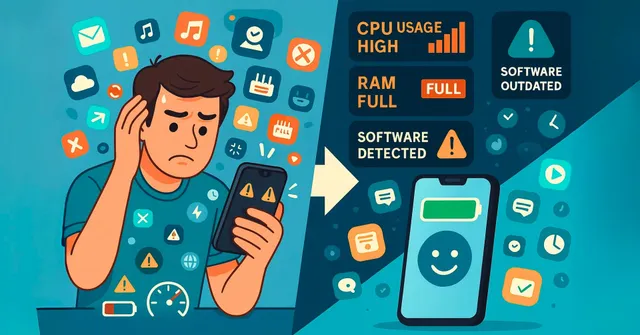
A slow smartphone is one of the most common and frustrating issues users face today. What was once a lightning-fast device that seamlessly handled daily tasks now stutters, lags, and makes even the simplest actions an exercise in patience. This decline in speed can stem from a variety of factors, including a full storage drive, too many apps running in the background, outdated software, and an aging battery. Understanding these causes is the first step toward resolving the problem.
Storage Overload: Smartphones have limited storage, and when it becomes nearly full, the device struggles to perform optimally. Photos, videos, apps, and cache files consume storage rapidly. Overloaded storage affects not only app loading times but also system processes, causing overall lag. Regularly deleting unused apps, transferring photos and videos to cloud storage, and clearing app cache can significantly improve performance.
Too Many Background Apps: Many apps run in the background, constantly consuming memory and processing power. Social media apps, messaging platforms, and streaming services can slow down your device if left unchecked. Closing unnecessary apps, restricting background activity, and using the device’s built-in task manager can help reduce strain on the processor.
Outdated Software: Operating system updates are not just about new features—they often include performance improvements and bug fixes. Running outdated software can result in inefficiencies and compatibility issues with apps. Regularly updating your smartphone ensures better performance, security, and stability.
Aging Battery: Battery health also impacts performance. As batteries age, they lose the ability to deliver consistent power, which may cause the phone to throttle speed to prevent sudden shutdowns. Checking battery health through settings and replacing an old battery can revive performance on devices that are otherwise in good condition.
Additional Tips for Speed Optimization: Beyond the basics, there are several proactive measures users can take. Reducing animations, disabling widgets, and limiting auto-sync for apps like email and social media can free up resources. Installing a lightweight launcher for Android devices or managing storage efficiently on iOS devices also helps. Occasionally restarting the phone can refresh system processes and free memory.
Prevention is Better Than Cure: Maintaining your smartphone’s performance requires regular care. Avoid overloading storage, monitor app usage, and keep the system updated. By adopting these habits, you can prevent severe slowdowns and extend the device’s lifespan.
In most cases, slow smartphone performance doesn’t require buying a new device. With a combination of storage management, background app control, software updates, and battery care, users can breathe new life into their smartphones. Understanding the underlying causes and applying targeted fixes ensures that your device remains fast, responsive, and capable of handling everyday tasks efficiently.
Too Many Apps Running in the Background
Every app you install and use on your smartphone consumes a portion of the device’s resources, including RAM (Random Access Memory) and CPU (Central Processing Unit) power. While modern smartphones are designed to handle multitasking, they still have finite resources. When too many apps run simultaneously, especially in the background, the system can become overwhelmed, leading to sluggish performance, slow app launches, and frequent crashes.
Even after closing an app, many continue to run in the background. Social media platforms, messaging apps, email clients, and news services constantly refresh content, check for updates, and send notifications. While this ensures you receive timely information, it comes at the cost of increased battery usage and higher CPU demand. Over time, having multiple apps operating in the background can slow down your smartphone noticeably, even if you are only using one app at a time.
The effects of background apps are especially noticeable on devices with limited RAM or older processors. When RAM becomes fully utilized, the phone may need to swap data between memory and storage, which is a slower process. This can result in delayed response times, freezing, and sometimes force-closing of apps.
To mitigate these issues, users should monitor app activity and manage background processes. On Android, you can use the built-in task manager or settings menu to restrict background activity for specific apps. On iOS, background app refresh can be disabled selectively. Additionally, regularly restarting your phone can clear temporary memory, freeing up resources and improving overall performance.
By understanding how background apps consume resources and implementing simple management strategies, you can maintain a smoother, faster, and more responsive smartphone experience. Keeping background activity in check not only improves speed but also helps conserve battery life and reduces unnecessary strain on your device.
Outdated Operating System and Apps
One of the most overlooked causes of slow smartphone performance is outdated software. Both the operating system and individual apps are constantly being improved by developers to enhance efficiency, fix bugs, and strengthen security. Ignoring these updates means your phone is not running at its full potential, which can result in lag, crashes, and poor responsiveness.
Smartphone operating systems, such as Android and iOS, regularly release updates that optimize how the device manages memory, CPU usage, and background processes. These updates also include patches for security vulnerabilities, ensuring your device remains protected against malware and other threats. Running an outdated OS can prevent your phone from efficiently handling newer apps or updates, leading to compatibility issues and slow performance.
Similarly, app developers frequently release updates to improve speed, fix errors, and add features. Apps that are not updated may have coding inefficiencies or conflicts with the operating system, causing them to consume more RAM and CPU than necessary. Over time, this inefficiency can accumulate, slowing down your entire device and increasing battery drain.
Keeping software and apps updated is simple yet highly effective. On Android devices, you can check for system updates in the Settings menu under “Software Update” and update apps via the Google Play Store. On iOS, system updates are available under Settings > General > Software Update, while app updates can be managed through the App Store.
By regularly updating both your operating system and apps, you ensure that your smartphone operates efficiently, maintains compatibility, and delivers optimal performance. It is a proactive step that prevents slowdowns, reduces crashes, and keeps your device running smoothly for years to come.
Aging Hardware and Battery Degradation
As smartphones age, their internal hardware naturally begins to show signs of wear. Among all the components, the battery is often the most critical factor affecting performance. Over time, a battery’s maximum capacity diminishes, meaning it can no longer deliver the same level of power as when it was new. This gradual degradation is a normal part of lithium-ion battery life cycles but can have noticeable effects on your device’s speed and reliability.
To protect the phone and prevent sudden shutdowns, many devices automatically throttle, or reduce, the performance of the processor and other critical components when the battery’s health declines. While this protective measure ensures stability, it can lead to frustratingly slow app launches, delayed multitasking, and reduced overall responsiveness. Users may notice that their once-snappy device now struggles with tasks that were previously effortless.
In addition to battery limitations, aging hardware, such as older processors, limited RAM, and slower storage drives, further exacerbates the slowdown. Modern apps and operating systems are designed to take advantage of newer, more powerful components. When installed on an older device, these apps require more resources than the hardware can efficiently provide, leading to lag, stutters, and occasional crashes.
Even if you maintain your software and apps perfectly, older phones will inevitably face performance challenges. Understanding this can help manage expectations and guide decisions on maintenance, upgrades, or replacement. In many cases, simple steps like reducing background processes, optimizing battery settings, or replacing a degraded battery can improve performance significantly. However, there are limits to what can be achieved on older hardware, highlighting the importance of balancing device age with performance demands.
Malware and Adware
While less common than hardware or software issues, malicious software—or malware—can significantly slow down a smartphone. Malware refers to any program intentionally designed to damage, disrupt, or gain unauthorized access to a device. Unlike normal apps, malware often runs silently in the background, consuming system resources without the user’s knowledge.
When malware is active on a phone, it can place a heavy burden on the CPU (Central Processing Unit) and RAM (Random Access Memory). This constant strain reduces the phone’s ability to perform regular tasks efficiently, resulting in laggy interfaces, slow app launches, and frequent freezes. Users may also notice their battery draining unusually fast, as malicious programs continue operating even when the phone appears idle.
Beyond slowing performance, malware can perform a variety of harmful actions. Some malware sends spam messages or uses your data plan to upload content, while others may attempt to steal sensitive information such as passwords, banking details, or personal files. These activities not only compromise security but also intensify the performance issues, creating a frustrating user experience.
Detecting malware can be challenging because it often disguises itself as legitimate apps or system processes. Signs to watch for include unexplained slowdowns, unusual pop-ups, excessive data usage, sudden battery drain, and apps behaving abnormally.
Preventing malware involves a combination of vigilance and good practices. Installing apps only from trusted sources, keeping the operating system and apps updated, and using a reputable mobile security solution are essential steps. Regularly reviewing app permissions and removing unfamiliar or suspicious applications can also minimize risks.
By proactively managing malware threats, users can maintain their smartphone’s speed, security, and overall performance, ensuring a smoother, safer mobile experience.
Immediate Solutions for Slow Smartphone Performance
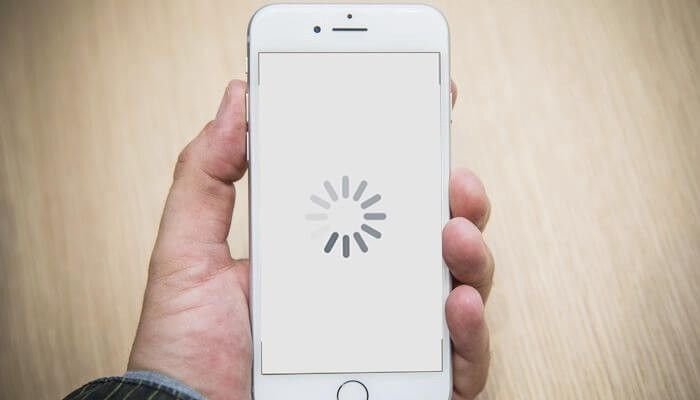
Before you try a factory reset or consider an upgrade, start with these simple yet effective steps. These quick fixes can often resolve most performance issues.
1. Restart Your Phone
It may sound surprisingly simple, but one of the most effective ways to combat slow smartphone performance is to restart your device regularly. In our fast-paced, app-driven lives, we often leave our phones running continuously, opening multiple apps, streaming media, and running background processes without pause. Over time, this constant activity consumes the phone’s RAM and processing power, leading to slower response times, app crashes, and overall sluggish performance.
A restart works like a reset button for your device. When you power your phone off and then back on, it clears the RAM, closes all background processes, and terminates apps that may have been stuck or consuming resources unnecessarily. This fresh start allows the operating system to allocate resources more efficiently, improving the device’s responsiveness and speed.
For many users, a weekly restart can make a noticeable difference in everyday performance. It’s a simple habit that requires just a few seconds but yields a significant payoff. Unlike more drastic measures such as factory resets or hardware upgrades, restarting is risk-free, requires no technical expertise, and can be done anywhere.
Moreover, restarting your phone can also help in preventing minor glitches and software hiccups that accumulate over time. From frozen screens to delayed notifications, many common smartphone issues are often resolved with a quick reboot. It also helps the system re-establish connections to networks, refresh background services, and ensure apps run smoothly after updates.
In short, while it may seem too basic to make a difference, a regular restart is a powerful tool for maintaining optimal smartphone performance. Incorporating this simple practice into your routine can save you frustration, reduce lag, and extend the overall lifespan of your device. A few seconds of downtime each week is a small price to pay for a faster, more reliable phone.
2. Clear Your Storage and Delete Unused Apps
One of the most effective ways to improve slow smartphone performance is to manage your apps and storage carefully. Over time, our phones accumulate dozens—or even hundreds—of apps, many of which go unused for months. These apps may run background processes, consume RAM, and occasionally send notifications, all of which can slow down your device.
Start by going through your app drawer and uninstalling any applications you haven’t used in a few months. Be honest with yourself—if you haven’t opened an app in a while, it’s likely not essential. Removing these apps not only frees up space but also reduces the load on your processor, which can significantly improve speed and responsiveness.
Next, turn your attention to large files stored on your device. Smartphones today store a wealth of data, including photos, videos, music, and downloaded documents. Over time, these files can take up a significant portion of your internal storage, slowing down system performance. Both Android and iOS offer built-in storage management tools—“Files by Google” on Android and “iPhone Storage” in iOS settings—which can help you identify files taking up the most space.
Consider backing up important media to cloud services like Google Photos, iCloud, or Dropbox. This allows you to safely remove large files from your device without losing them. For videos, which often consume the most space, moving them to an external drive or cloud storage can free up gigabytes of storage, giving your phone room to operate more efficiently.
By routinely cleaning up unused apps and unnecessary files, you can dramatically improve smartphone performance. Not only does this make your device faster, but it also helps prevent future slowdowns, ensuring that your phone remains responsive and capable of handling everyday tasks smoothly. Regular maintenance is a small investment of time that pays off with noticeable improvements in speed and usability.
3. Clear App Cache
Every app you use on your smartphone stores temporary files called cache to help it load more quickly and provide a smoother user experience. These cached files allow apps to remember preferences, retain login information, and speed up data retrieval. While caching is useful, over time, this data can accumulate and occupy a significant portion of your phone’s storage.
When cache files become too large or corrupted, they can negatively affect your device’s performance. Apps may start to lag, freeze, or crash unexpectedly. This is one of the less obvious reasons your smartphone may feel sluggish even if you haven’t installed many new apps. Clearing cached data periodically helps free up storage, reduce unnecessary strain on your processor, and improve overall responsiveness.
On Android devices, clearing the cache is straightforward. Navigate to Settings > Apps > [App Name] > Storage & cache, and select Clear cache. Repeat this process for apps that you use frequently or that seem to be slowing down. This action removes temporary files without deleting important app data, such as your account information or saved settings.
For iOS users, the approach is slightly different since iPhones don’t allow clearing cache for individual apps directly. Instead, you can offload an app, which removes the app itself but keeps your data intact. To do this, go to Settings > General > iPhone Storage > [App Name] > Offload App. Alternatively, deleting and reinstalling the app achieves a similar effect by clearing its stored cache completely.
Regularly managing your app cache is a simple yet effective step in maintaining your smartphone’s speed and performance. By freeing up storage space and removing potentially corrupted temporary files, your device can run smoother, apps launch faster, and your overall experience becomes more seamless. Making this a routine part of smartphone maintenance ensures that performance remains optimal over time.
Advanced Strategies for Long-Term Optimization
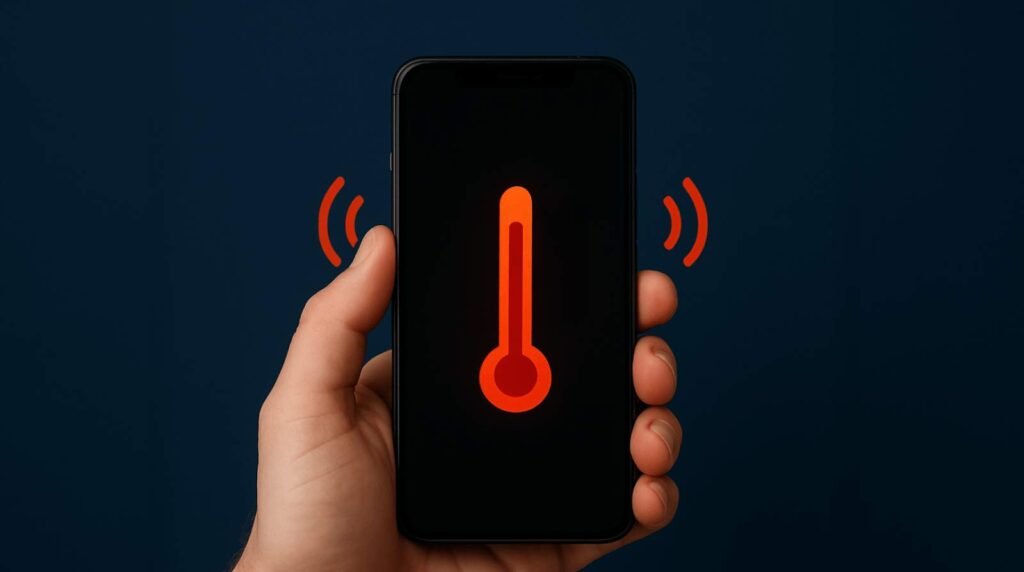
If the basic steps don’t solve your problem, it’s time to dig a little deeper with these more advanced techniques.
1. Update Your Software and Apps
One of the most effective ways to maintain optimal smartphone performance is to keep your operating system and apps up to date. Software updates are not just about new features—they often include critical performance improvements, bug fixes, and security patches that ensure your device runs efficiently. Running outdated software can lead to compatibility issues, slow app performance, and even unexpected crashes.
To check for updates on your Android device, go to Settings > System > System Update. If an update is available, follow the prompts to download and install it. For iOS users, navigate to Settings > General > Software Update. Installing these updates ensures your device benefits from the latest performance optimizations and security enhancements.
In addition to updating your operating system, keeping your apps up to date is equally important. App developers frequently release updates that enhance speed, fix bugs, and improve functionality. Open the Google Play Store or Apple App Store, go to your apps list, and update any pending apps. Many devices also allow you to enable automatic updates, which is a convenient way to ensure you never miss important updates and maintain consistent performance.
Neglecting updates can cause your smartphone to lag, as older software may not efficiently communicate with newer apps or hardware components. Over time, this can accumulate into noticeable slowdowns, app crashes, and even battery drain.
By proactively updating both your system and apps, you ensure your smartphone has the latest performance enhancements, runs smoothly, and avoids unnecessary slowdowns. Treating software updates as part of your routine maintenance can significantly extend your device’s lifespan and improve your daily user experience. Keeping your phone current is a small effort that pays off with faster, more reliable performance.
2. Adjust Animations and Visual Effects
Modern operating systems use animations and visual effects to create a smooth, fluid user experience. While they look great, they also consume processing power. On older or less powerful devices, reducing or disabling these animations can make a noticeable difference in speed. On Android, you can access “Developer options” by tapping the “Build number” in your phone’s settings multiple times. Here, you can reduce or turn off window animation scale, transition animation scale, and animator duration scale. On iOS, you can enable “Reduce Motion” in the Accessibility settings.
3. Manage Background Processes and App Permissions
A key factor in smartphone slowdowns is apps running in the background, consuming resources such as RAM, CPU, and battery power without your knowledge. Even when you’re not actively using an app, many continue to refresh data, send notifications, or track location, which can gradually degrade performance. By controlling which apps are allowed to run in the background, you can free up system resources and significantly improve your phone’s speed.
On Android devices, you can manage background activity by going to Settings > Apps > [App Name] > Mobile Data & Wi-Fi, and toggling off “Background data.” This prevents apps from consuming data and processing power when they are not in use. You can also check Battery settings to see which apps are using excessive power in the background and restrict them accordingly.
For iOS users, the equivalent feature is Background App Refresh, found under Settings > General > Background App Refresh. You can disable it completely or select individual apps that you want to prevent from refreshing in the background. This helps preserve battery life and reduces unnecessary CPU usage, keeping your device running smoothly.
In addition to controlling background activity, reviewing and revoking unnecessary permissions is equally important. Many apps request access to features they don’t need, such as location, microphone, or camera, which can allow them to run processes in the background or collect data constantly. By limiting these permissions in Settings > Privacy, you prevent apps from overusing your phone’s resources and reduce the chance of slow performance.
Regularly auditing your apps’ background activity and permissions is a simple yet effective way to maintain optimal smartphone speed. Taking these proactive steps ensures that only essential apps use resources, while unnecessary processes are minimized, allowing your device to run efficiently for longer.
4. The Factory Reset: A Last Resort
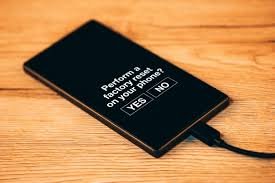
If all else fails, a factory reset can be the ultimate solution. This process wipes your phone completely, restoring it to the state it was in when you first bought it. A factory reset eliminates all corrupted files, malware, and hidden junk that may be causing slow smartphone performance.
Warning: This will erase all your data, including apps, photos, messages, and contacts. Before you perform a factory reset, make sure to back up all of your important information to a cloud service or a computer.
The Final Word: Prevention is Key
Dealing with a slow phone can be one of the most irritating experiences in today’s tech-driven world. What was once a lightning-fast device that handled your daily tasks effortlessly suddenly struggles with simple actions like opening apps, scrolling through social media, or sending messages. Fortunately, in most cases, this decline in performance is not permanent and can be prevented with a little proactive maintenance and care.
The foundation of preventing slow smartphone performance starts with regular storage management. Over time, your phone accumulates a large number of apps, media files, and cached data. This can quickly fill up storage space and put extra strain on your device’s processor and RAM. Periodically reviewing your storage, deleting unnecessary files, and moving photos and videos to cloud storage are simple but highly effective steps to keep your phone running efficiently.
App management is another critical factor. Many applications continue running in the background even when you’re not actively using them, consuming processing power and draining the battery. By regularly checking which apps are running, disabling unnecessary background processes, and uninstalling apps that you rarely use, you can free up valuable system resources. Additionally, limiting notifications and auto-refresh features can significantly reduce the load on your phone, helping it perform more smoothly.
Keeping your software up to date is equally important. Operating system updates and app upgrades often include performance enhancements, bug fixes, and security patches. Running outdated software can create compatibility issues and make your device sluggish. Regularly updating your phone ensures it benefits from these optimizations and continues to function at its best.
Routine maintenance is also essential. Restarting your phone occasionally, clearing caches, and performing system cleanups can help remove temporary files and reset background processes that accumulate over time. A little effort here can result in noticeable improvements in speed and responsiveness.
Lastly, it’s important to be mindful of your usage patterns. Overloading your phone with multiple heavy tasks simultaneously or relying on resource-intensive apps can exacerbate performance issues. Keeping an eye on battery health and replacing aging batteries when necessary can prevent performance throttling and ensure your device runs smoothly.
In conclusion, prevention is far more effective than constant troubleshooting. Your smartphone is essentially a powerful computer in your pocket, and like any computer, it requires care, attention, and regular maintenance to perform at its peak. By staying proactive—managing storage, updating software, monitoring apps, and performing routine maintenance—you can avoid the frustration of a slow device and extend the life of your smartphone. Small, consistent efforts make a significant difference, allowing your phone to remain fast, responsive, and reliable for all your daily needs.
Related Post:7 Proven Fixes to Instantly Solve Laptop Overheating and Storage Problems