

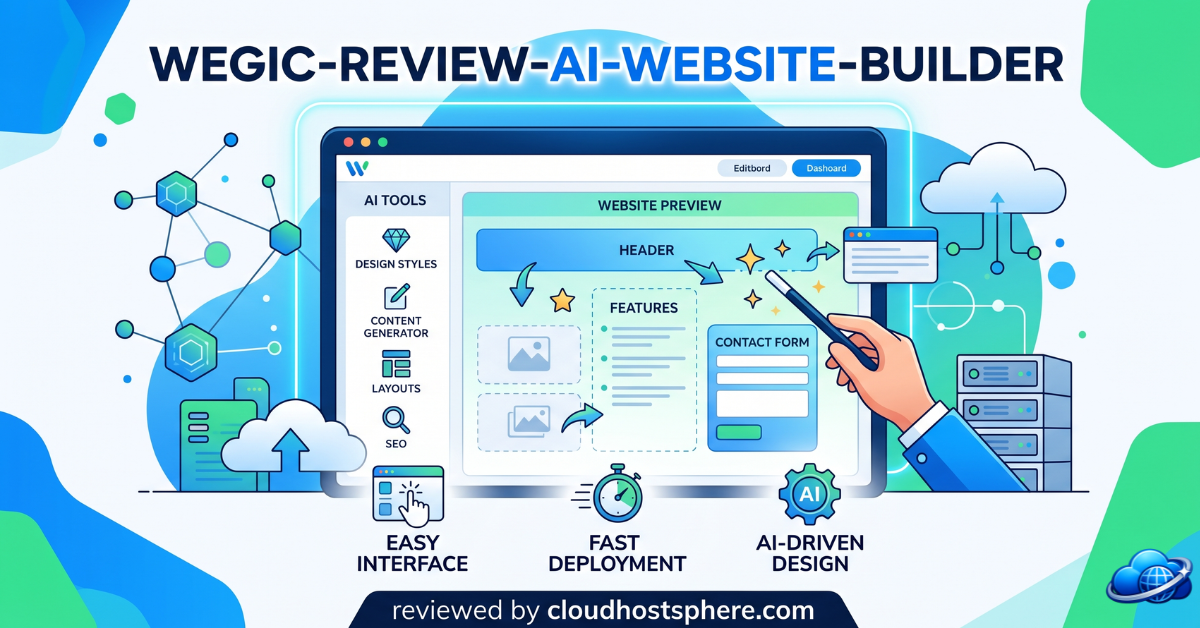
Building a website used to mean choosing templates, learning design tools, or hiring a developer. Today, platforms like Wegic are changing that process entirely by allowing users to create websites through simple conversations with AI.
If you’ve been searching for a faster way to launch a professional website, this Wegic review will help you decide whether it’s worth your investment. We’ll cover its features, pricing, strengths, limitations, and who can benefit most from it. If you’re ready to explore the platform yourself, [“Start building with Wegic today”].
What Is Wegic?
Wegic is an AI-powered website builder that creates complete websites through conversational prompts. Instead of manually dragging elements onto a page, users simply describe what they want, and the AI generates a multi-page website complete with layouts, content, images, and navigation.
The platform is designed for entrepreneurs, freelancers, small business owners, creators, agencies, and anyone who wants a professional website without coding skills. Wegic positions itself as an “AI website team” that handles design, development, and content generation through a chat-based experience.
If you’ve ever felt overwhelmed by traditional website builders, Wegic aims to remove that complexity and get your site online quickly.
Key Features of Wegic
AI-Powered Website Creation
The standout feature of Wegic is its conversational website generation system. You describe your business, audience, and goals, and the AI creates a complete website structure in minutes. This includes page layouts, navigation menus, written content, and visual styling.
For beginners, this dramatically reduces the learning curve associated with website design.
Chat-Based Editing
Unlike traditional editors, Wegic allows you to modify your website through conversation. Need a new section? Want different wording? Prefer a different color scheme? Simply ask the AI, and it updates the site accordingly.
This makes ongoing edits much faster than manually adjusting individual elements.
Visual Editing Tools
Wegic includes sketch and comment-based editing tools. Users can highlight or draw around sections they want changed, and the AI interprets those requests automatically.
This feature is particularly useful for users who know what they want visually but lack design experience.
Responsive Design
Every website generated by Wegic is automatically optimized for desktop, tablet, and mobile devices. There’s no need to create separate mobile versions or manually adjust breakpoints.
For businesses relying on mobile traffic, this can save significant time.
Built-In SEO Features
Wegic automatically generates SEO-friendly page titles, metadata, and structured website architecture. While it won’t replace a full SEO strategy, it provides a solid foundation for search visibility.
Multilingual Support
The platform supports more than 95 languages, making it attractive for businesses serving international audiences. Users can create websites tailored to different markets without relying on separate translation tools.
E-Commerce Functionality
For online sellers, Wegic can generate product pages, shopping carts, and storefront layouts through AI prompts. This helps entrepreneurs launch ecommerce sites quickly without extensive setup.
Interested in seeing what it can build? [“Explore Wegic’s AI website creator”].
How to Use Wegic
Getting started with Wegic is surprisingly simple.
Step 1: Create an Account
Sign up using your email address or Google account. New users receive free credits to explore the platform and test ideas.
Step 2: Describe Your Website
Tell the AI about your business, goals, audience, and preferred style. The more details you provide, the better the initial website generation will be.
Step 3: Review the Generated Site
Within minutes, Wegic produces a complete website draft. Review the design, content, navigation, and layout.
Step 4: Refine Through Conversation
Request edits through chat, comments, or visual annotations. The AI updates the website based on your instructions.
Step 5: Publish Your Website
Once satisfied, publish the site to Wegic hosting with SSL enabled. Paid plans also support custom domains.
The entire process requires virtually no coding knowledge.
Wegic Pros and Cons
Pros
- Extremely beginner-friendly interface
- AI generates complete websites quickly
- Conversational editing feels natural
- Mobile-responsive designs included automatically
- Built-in SEO foundations
- Supports multiple languages
- Hosting and SSL included
- Ecommerce capabilities available
- No coding experience required
Cons
- Free plan has visitor and page limitations
- Advanced customization may not match professional web development tools
- Credit-based system may require upgrades for heavy users
- Custom domains require paid plans
- Some power users may prefer deeper design control offered by platforms like Webflow or Framer
Wegic Pricing Plans
Wegic offers multiple pricing options depending on your needs.
Free Plan
The free experience includes credits for exploring the platform and limited website functionality. Some plans allow publishing with visitor restrictions and Wegic branding.
First Website Trial
Wegic offers a low-cost first website generation option priced around $2.99, allowing users to experience the platform before committing to a subscription.
Starter Plan
- Approximately $39.90/month
- Around $23.90/month with annual billing
- Increased credits
- Up to 10 pages
- Branding removal
- Higher traffic allowances
Premium Plan
- Approximately $69.90/month
- Around $41.90/month with annual billing
- More credits
- Enhanced capabilities
- Greater scalability for growing websites
Before choosing a plan, [“Check current Wegic pricing here”] since promotions and features may change over time.
Frequently Asked Questions
Is Wegic good for beginners?
Yes. Wegic is specifically designed for users with little or no coding experience. Its conversational approach removes much of the complexity found in traditional website builders.
Can I create a website for free with Wegic?
Yes, new users can explore the platform with free credits. However, full website generation and advanced features may require a trial purchase or subscription plan.
Does Wegic include hosting?
Yes. Wegic provides hosting and SSL certificates, allowing websites to go live without separate hosting providers.
Is Wegic suitable for ecommerce?
Yes. Wegic can generate product pages, shopping carts, and online store layouts, making it suitable for small ecommerce businesses.
How does Wegic compare to Wix or Squarespace?
Wegic focuses on AI-driven website generation through conversation, while Wix and Squarespace offer more traditional visual editing experiences. Users prioritizing speed and simplicity often find Wegic attractive, while advanced designers may still prefer more customizable platforms.
Conclusion & Final Verdict
Wegic is one of the more interesting AI website builders currently available. Instead of forcing users to learn design software or work with rigid templates, it transforms website creation into a conversation.
It’s an excellent choice for freelancers, startups, consultants, creators, and small businesses that want a professional website online quickly. The AI-generated layouts, built-in hosting, multilingual support, and conversational editing significantly reduce the time required to launch a site.
However, if you require highly customized functionality or pixel-perfect design control, you may eventually outgrow the platform and prefer a more advanced solution.
For most beginners and small business owners, though, Wegic offers a refreshingly simple approach to web creation. If you’re curious about AI-powered website building, [“Sign up for Wegic now”] and see what you can create in just a few minutes.
*Research and reference material compiled from Wegic product pages, pricing resources, and user discussions. *
